Introduction
Managing customer quotes and invoices is an essential part of running a small business. However, manually entering the same information into different documents can waste time and increase the risk of errors. Business owners often need to transfer customer details, product descriptions, quantities, and prices from quotes into invoices.
Using digital invoicing software can simplify this process. It allows businesses to convert approved quotes directly into invoices without entering the same information again. This improves accuracy, saves time, and makes payment management more efficient.
Steps of Converting Business Quotes into Invoices
1. Create Detailed and Accurate Business Quotes
The first step is preparing a complete quote for every customer. A professional quote should clearly explain the products or services being offered and their associated costs.
Important details include:
-
Business name and contact information.
-
Customer details and billing address.
-
Product or service descriptions.
-
Quantities and individual prices.
-
Applicable GST and other charges.
-
Total estimated cost.
-
Quote validity period and payment terms.
Accurate information makes the conversion process easier and reduces the need for corrections later.
2. Use Digital Quoting and Invoicing Software
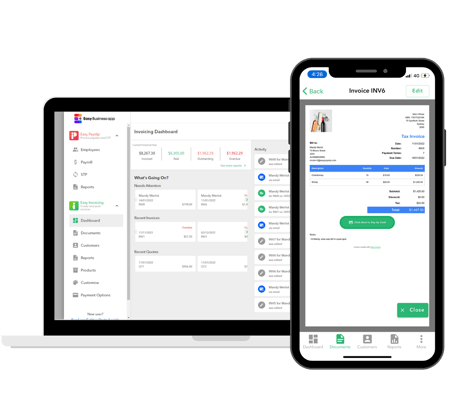
Managing quotes through spreadsheets or separate documents can create unnecessary administrative work. Digital accounting software provides a more organized alternative. With an integrated system, businesses can prepare quotes, store customer information, and manage invoices from one platform. Once a customer accepts a quote, the relevant details can be transferred into an invoice.
3. Convert Approved Quotes into Invoices
Once a customer accepts a quote, businesses can use the software’s conversion feature to generate an invoice. Instead of creating a new document, the system transfers relevant information from the original quote. This may include customer details, descriptions, quantities, prices, and applicable taxes.
4. Reduce Data Entry Errors
Repeatedly entering financial information increases the possibility of mistakes. A small error in quantities, pricing, or GST calculations can affect the final invoice and create confusion for customers.
Converting quotes directly into invoices helps reduce these risks because existing information is reused. Businesses should still review every invoice before sending it. Checking customer details, payment terms, tax calculations, and final amounts helps ensure accuracy.
5. Improve Invoice Tracking and Payment Management
Converting quotes into invoices also creates a more organized sales process. Businesses can track which quotes have been accepted and which have resulted in invoices. Once an invoice is issued, digital invoicing tools can help monitor payment statuses and outstanding balances. Automated reminders can also encourage customers to pay overdue invoices. This gives business owners better visibility over their accounts receivable and supports healthier cash flow management.
6. Maintain Organized Financial Records
Keeping quotes and invoices connected makes financial record management easier. Businesses can refer to original quotations when reviewing customer transactions or resolving billing questions. Digital records also make it easier to share financial information with accountants and bookkeepers when preparing reports or completing tax-related tasks.
Conclusion
Converting business quotes into invoices without repeating data entry can significantly improve administrative efficiency. It saves time, reduces manual errors, and creates a more organized invoicing process.
By using integrated accounting and invoicing software, small businesses can manage customer quotations, generate invoices, and monitor payments from one convenient system. This allows business owners to spend less time on repetitive paperwork and more time focusing on business growth.