What Is QuickBooks Software and How Does It Work? A Detailed Guide
For decades, QuickBooks has been the go-to accounting solution for small and medium-sized businesses. Whether you’re a freelancer handling invoices or a growing company managing payroll, QuickBooks simplifies how you track money, pay bills, and make financial decisions. What began as simple desktop accounting software has evolved into a full-fledged system used by millions worldwide. Thanks to modern technology and reliable QuickBooks Hosting Providers, you can now run your QuickBooks securely from the cloud, anytime, anywhere.
In this post, we’ll explore what QuickBooks is, how it works, its different versions, and why many businesses are switching to QuickBooks accounting software.
Understanding QuickBooks: The Foundation of Modern Accounting
QuickBooks is an accounting software developed by Intuit, first launched in the early 1990s. Its purpose was to make bookkeeping simple for non-accountants, people who needed to handle business finances without deep accounting knowledge.
The software automates everyday accounting tasks like invoicing, expense tracking, reconciliation, and reporting. Over the years, QuickBooks has added advanced tools, including inventory tracking, payroll management, and tax preparation.
Today, QuickBooks has multiple programs:
- QuickBooks Online: The cloud-based version is accessible through any browser.
- QuickBooks Desktop Pro, Premier, and Enterprise: Installed on a local computer or hosted server, ideal for power users who need advanced features.
- QuickBooks Self-Employed: Designed for freelancers or independent professionals to track income, expenses, and mileage.
How QuickBooks Works?
At its core, QuickBooks organizes all your financial data into a single unified system.
1. Recording Transactions
Every business transaction, whether it’s an expense, payment, or sale, is entered into QuickBooks. You can import transactions directly from your bank or credit card accounts, saving time and reducing manual entry errors.
2. Bank Reconciliation
QuickBooks connects to your financial institutions, allowing you to reconcile accounts automatically. This feature helps ensure your books match your actual bank balances and flags discrepancies immediately.
3. Invoicing and Payments
QuickBooks lets you create professional invoices with your logo, email them, and even track when they’re opened or paid. Customers can pay directly online, streamlining cash flow.
4. Expense Management
You can upload receipts, categorize expenses, and attach them to transactions. This makes tax time easier and keeps your financial records organized year-round.
5. Payroll and Taxes
With QuickBooks Payroll, you can calculate wages, deductions, and file payroll taxes automatically. It integrates with your books, ensuring your financial reports always reflect accurate employee costs.
6. Reporting and Insights
The platform generates financial reports, including profit & loss statements, balance sheets, and cash flow analyses. These insights help business owners make better decisions faster.
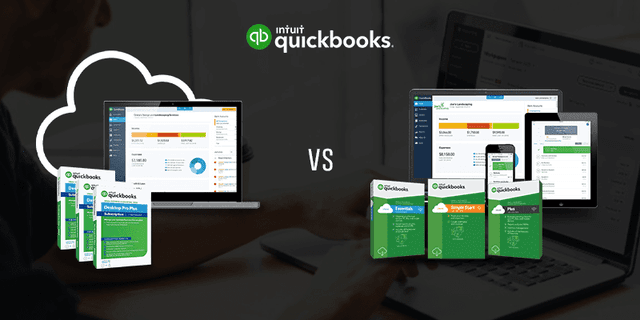
QuickBooks Desktop vs. QuickBooks Online
| QuickBooks Desktop | QuickBooks Online |
| It is installed software on-premises with more robust features, preferred by accountants and businesses that handle complex data, inventory, or multi-user access. | It is web-based, and you can log in from anywhere. It’s perfect for users who value mobility and simplicity. |
What Are QuickBooks Hosting Providers?
QuickBooks Hosting Providers are specialized cloud service companies that host your licensed QuickBooks Desktop version (Pro, Premier, or Enterprise) on their secure servers. Instead of being limited to a single local machine, your QuickBooks is stored on a virtual cloud server that you can access from anywhere, on a computer, tablet, or phone.
This hosting setup combines the power of the desktop version with the flexibility of the cloud. Users get all the features of QuickBooks Desktop, including multi-user collaboration, advanced reporting, and inventory tracking, without the hardware limitations or IT headaches.
Key Benefits of QuickBooks Hosting:
- Anywhere Access: Work remotely from any device with an internet connection.
- Real-Time Collaboration: Multiple users (like accountants and team members) can work on the same company file simultaneously.
- Top-Notch Security: Hosted servers are protected with advanced encryption, firewalls, and regular backups.
- Automatic Updates & Backups: Your hosting provider handles software updates and data backups, ensuring reliability.
- Reduced IT Costs: No need for expensive local servers or maintenance.
Why Choose QuickBooks Premier Hosting?
Among all QuickBooks Desktop versions, QuickBooks Premier stands out for businesses that need industry-specific accounting tools. QuickBooks Premier Hosting lets you enjoy these advanced features while leveraging the power of the cloud.
Here’s why many professionals choose this setup:
1. Industry-Specific Editions
QuickBooks Premier offers tailored versions for different sectors, including Manufacturing & Wholesale, Professional Services, Nonprofits, Retail, and Contractors.
Each edition includes customized reports and workflows tailored to your business type. When hosted on the cloud, teams across different locations can access these tools seamlessly.
2. Multi-User Access Made Easy
With QuickBooks Premier Hosting, multiple employees, accountants, or partners can log in simultaneously, work on live data, and see updates in real time, eliminating version conflicts and file transfers.
3. Enhanced Data Protection
Cloud hosting platforms implement bank-grade security. Features like two-factor authentication, 256-bit encryption, and routine backups ensure your company’s data remains safe and compliant with financial regulations.
4. High Performance and Uptime
Leading QuickBooks Hosting Providers guarantee 99.9% uptime, so your accounting operations are never interrupted by local system crashes or hardware failures.
5. Flexibility and Remote Productivity
Employees and accountants can log in from different offices, homes, or even while traveling. This flexibility helps maintain productivity and business continuity in any situation.
How QuickBooks Hosting Works: A Step-by-Step Guide
Step 1: You Purchase a QuickBooks License
You buy your QuickBooks Desktop Premier or Enterprise license directly from Intuit or an authorized reseller.
Step 2: Select a QuickBooks Hosting Provider
The provider sets up your QuickBooks software on a secure, virtual cloud server.
Step 3: Login Credentials Are Shared
You receive login credentials to securely access your hosted QuickBooks using Remote Desktop Protocol (RDP) or a web browser.
Step 4: Work and Collaborate in Real Time
Multiple users can log in from anywhere, view live data, and make updates simultaneously.
Step 5: Automatic Backups and Support
Your hosting provider performs regular backups and provides 24/7 technical support so that you can focus on your business rather than IT.
The Future of QuickBooks: Cloud, AI, and Automation
Accounting is becoming more intelligent, and QuickBooks continues to evolve with it. Intuit is integrating AI-powered automation and machine learning to help users automatically categorize transactions, forecast cash flow, and even detect anomalies in data.
With the rise of remote work and distributed teams, businesses are increasingly adopting QuickBooks Premier Hosting or other hosted models to stay agile. The ability to combine automation, cloud access, and collaboration is shaping the next generation of financial management.
Also Read: Utilizing Accounting Software for Your Business
Final Thoughts
QuickBooks has stood the test of time because it continuously adapts to business needs. From desktop to online to cloud-hosted solutions, it remains a leader in accounting innovation. Whether you use QuickBooks Online for simplicity or move to QuickBooks Premier Hosting for advanced features, the goal remains the same: making your financial management smarter, faster, and more accessible.
With the right QuickBooks Hosting Providers, you can unlock the full potential of QuickBooks: secure access from anywhere, smooth collaboration, and the reliability your business deserves.